This article is for Sunshine Coast LPNs and Bella Coola RN's.
Now that we’re on Procura Mobile, CHW require a booked visit to see the Client careplan and care details. To get the client on the employee schedule follow these steps using Day view booking.
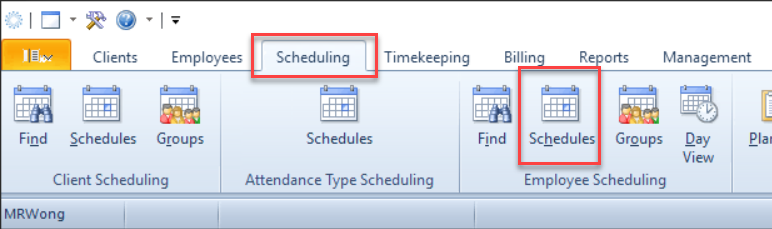
- Navigate to employee Schedules and find the employee name
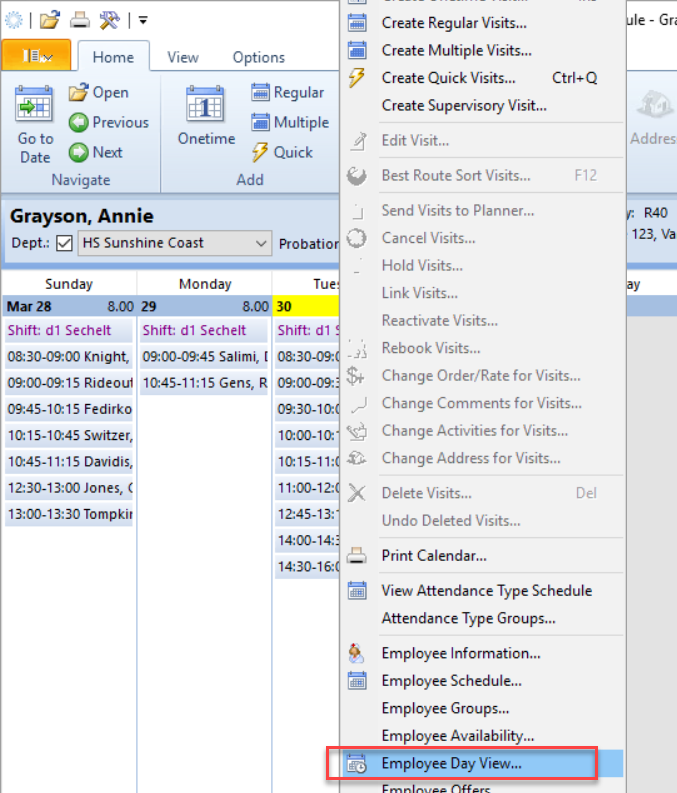
- Right-click on the day you are adjusting and select ‘Employee Day view’ from the menu
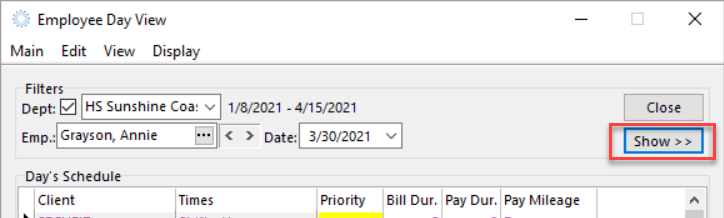
- Click “Show” to open a second screen
- Search for the receiving Employee

- Select the visits in the left schedule that will be taken by the other employee
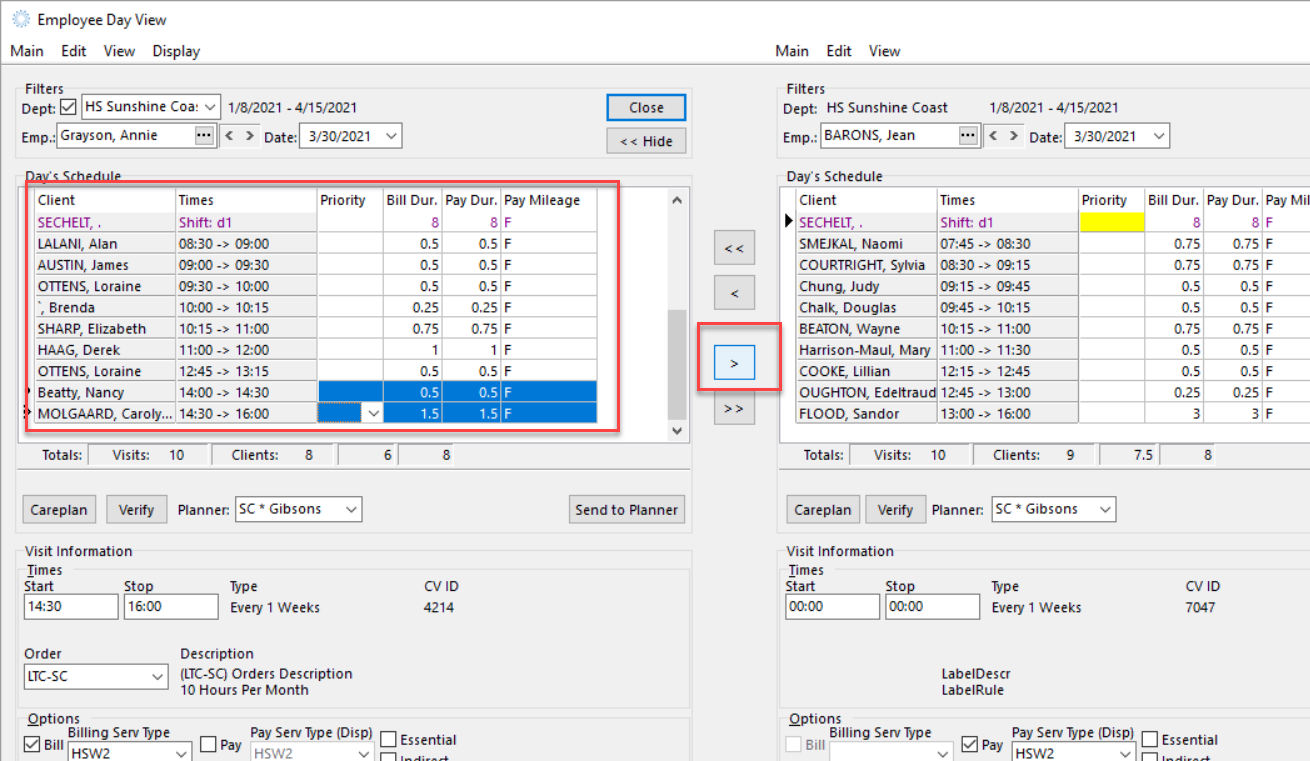
- Use the > button to move the visits
- Close