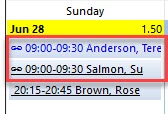
When two CHWs attend same client at same time (eg. Heavy work load client/ environmental risks), these visits can be linked in Procura. Linking will not change the appearance of either visit, but it will create a flag when you view the schedule. To use this feature, follow these steps:
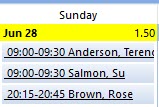
1. Create 2 identical visits
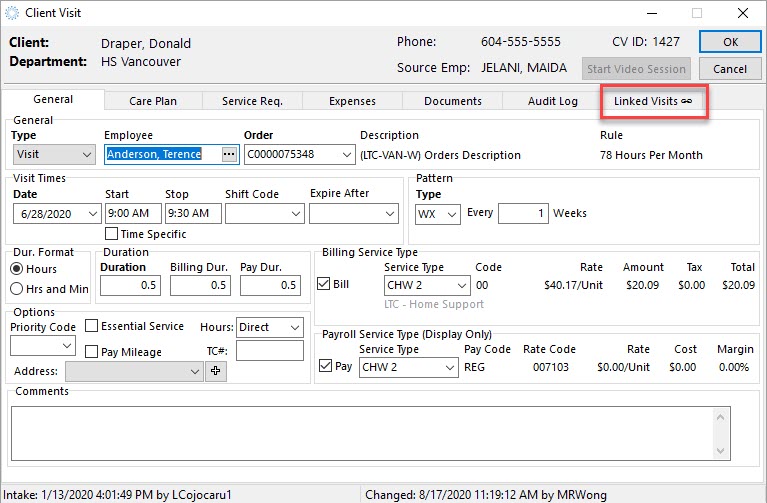
2. Double-click to open one of the visits
3. Click on the Linked Visits Tab
4. Click the Link button
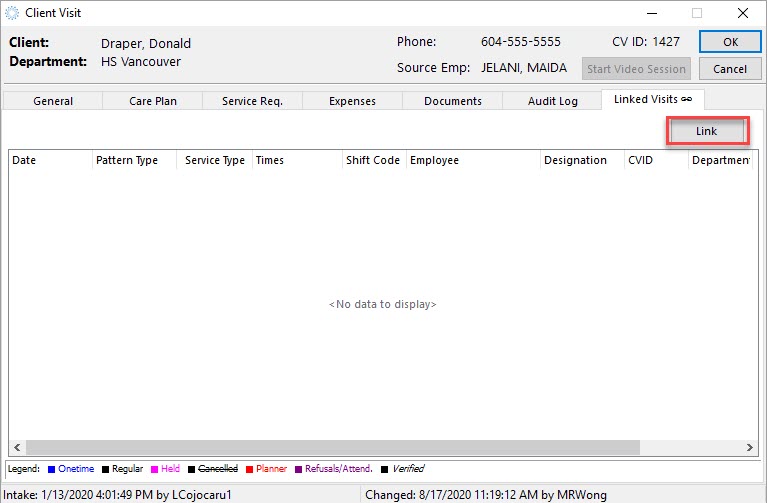
5. Select the visits to be linked

6. Click OK for both prompts
7. Click Save
8. Choose to either Modify All (for Recurring visits) or just the selected one if Onetime.
9. Click OK to finalize the link between these two visits.
10. Now should see the two linked visits. You may need to modify your environmental settings to see the Linked Symbol in your schedule view.