Viewing Schedules by Attendance Type
The Attendance Type Scheduling module allows you to view all employees currently scheduled to a specific attendance type.
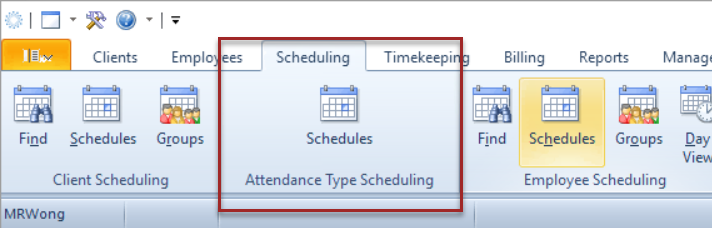
- In the main Procura ribbon, under Scheduling, click the Schedules icon in the Attendance Type Scheduling section.
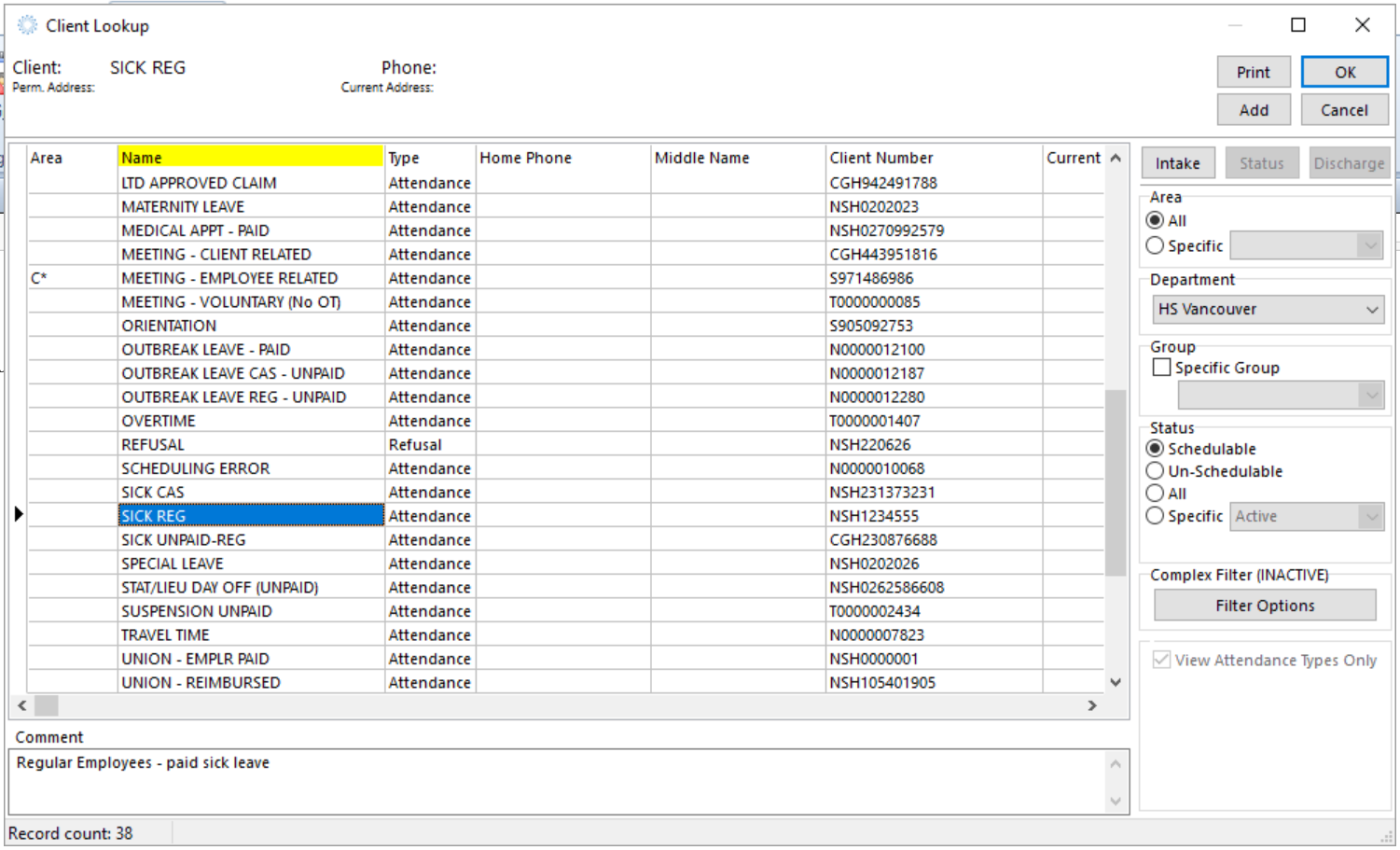
- Set the area to All and double-click to select the Attendance Type you would like to view.
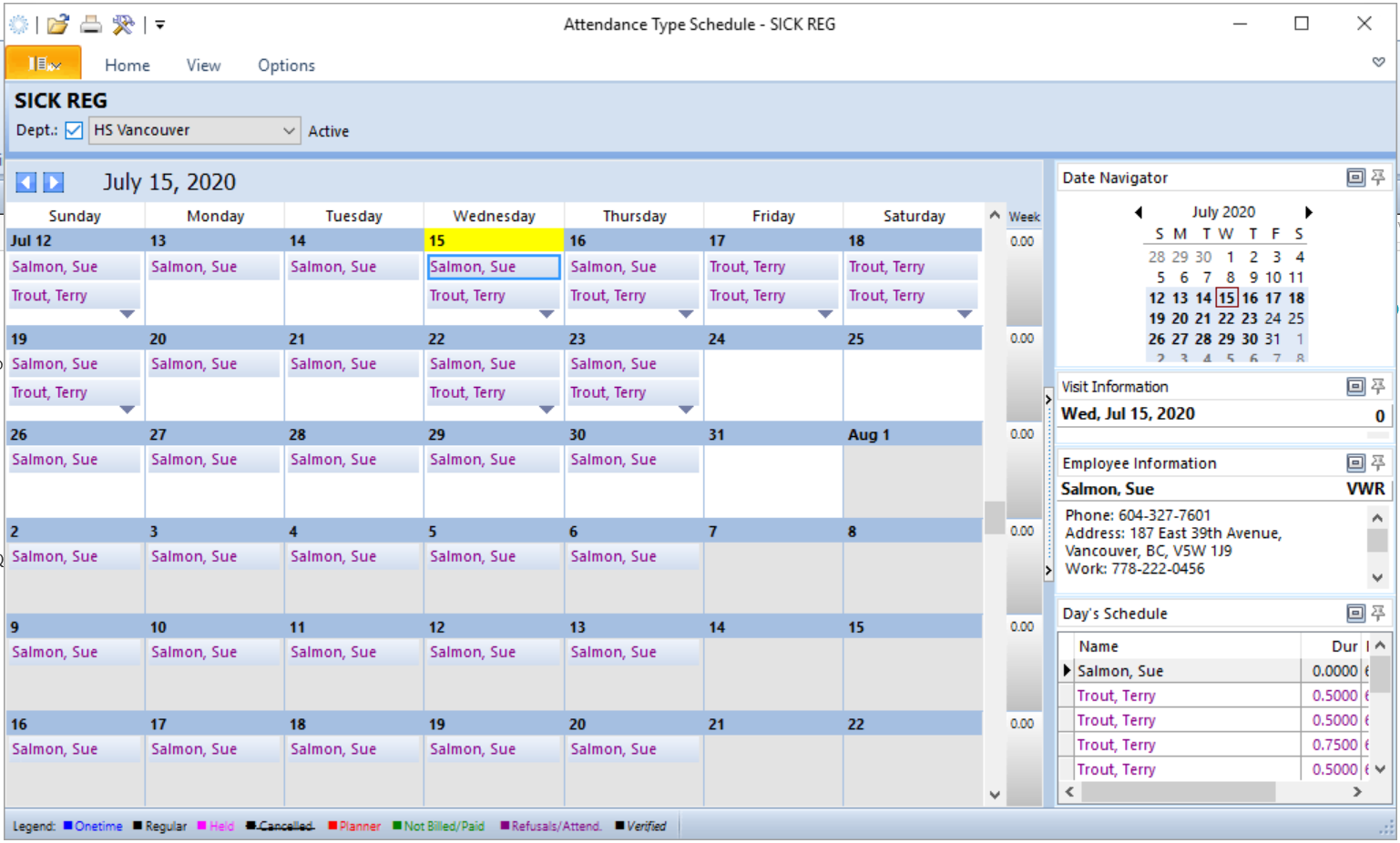
- View the schedule to see all employees booked off for the selected attendance type.
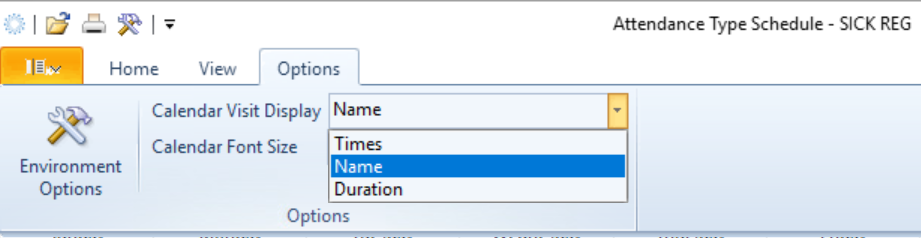
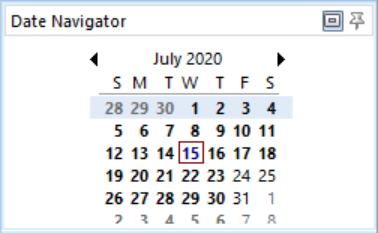
- Change your view as desired by selecting Options and updating the Calendar Visit Display, or by changing the displayed dates by selecting a new date range in the Date Navigator.
Booking Employees by Attendance Type
The attendance type schedule view functions in the same manner as the client schedule view, so it can also be used to book Employees to visits for a particular Attendance Type. It is recommended that individual bookings still be completed from the employee schedule, but the Attendance Type Scheduling can be used when multiple Employees need to be scheduled to the same Attendance Type, i.e. for education or a meeting.
- In the main Procura ribbon, under Scheduling, click the Schedules icon in the Attendance Type Scheduling section.
- Set the area to All and double-click to select the Attendance Type you would like to view.
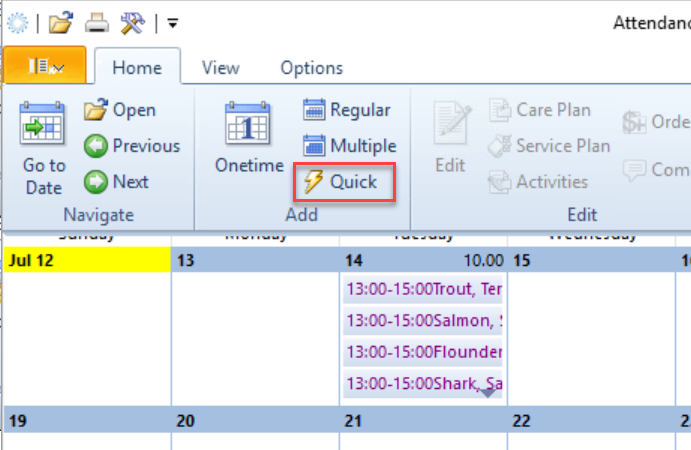
- Create visits for multiple Employees using Quick visit.
- Use Employee search to book the employee to the visit and adjust the visit times.
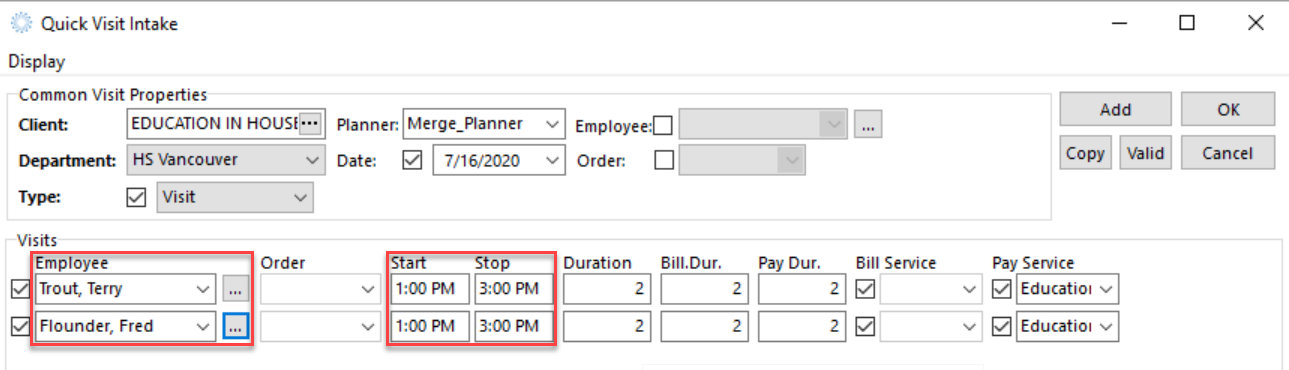
- Select OK to book the visits. (Note that visits booked using quick visits are not conflict checked. Employee Schedules should be reviewed to ensure there are no double bookings.)