Adding correct groups when creating/updating a client record is essential for accurate scheduling when using the Scheduling Group module or Group filtering. Maintaining a client's groups should be managed by the site as changes occur.
Add Groups
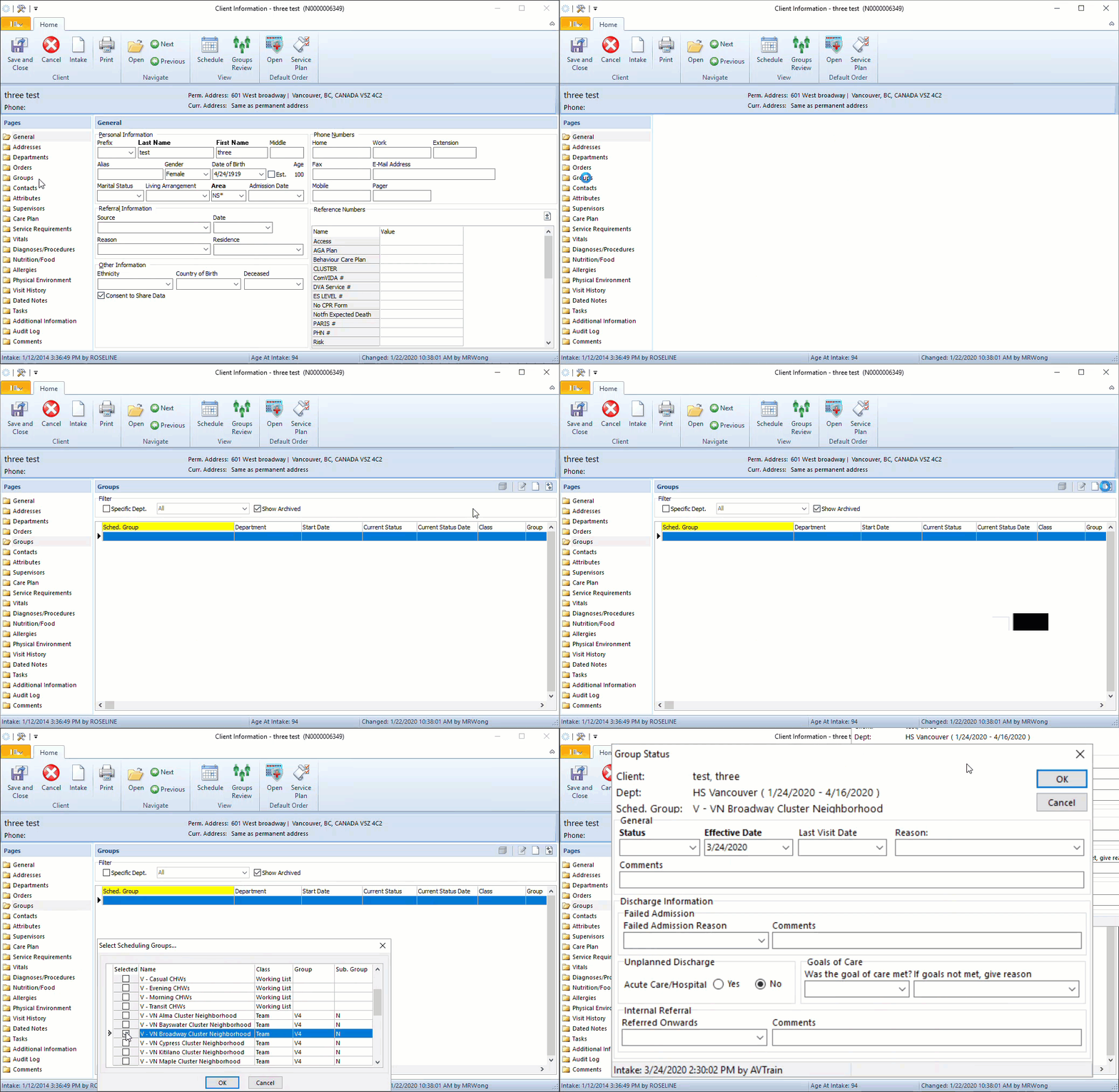
- From the Client Information screen, click on the Groups folder.
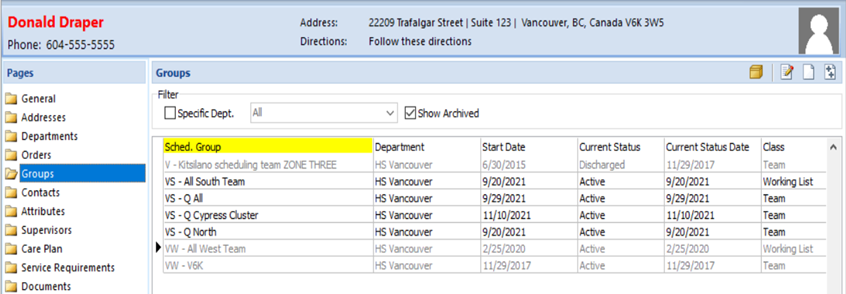
- A list of all current and archived groups will appear if the client already has groups added.
- Click
 to add groups. Scroll through the list to select one or multiple groups, then OK.
Archive Groups
- From the Client Information screen, click on the Groups folder.
- Click on the Group you want to archive, then click
 .
. - Complete Status (Discharged or Terminated if deceased) and Effective Date, then OK.